
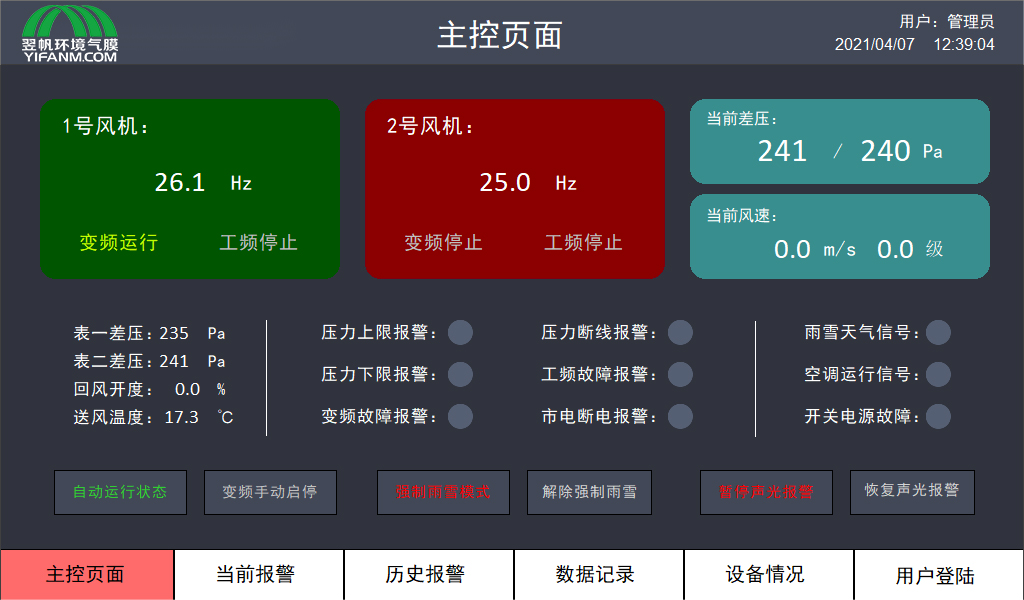
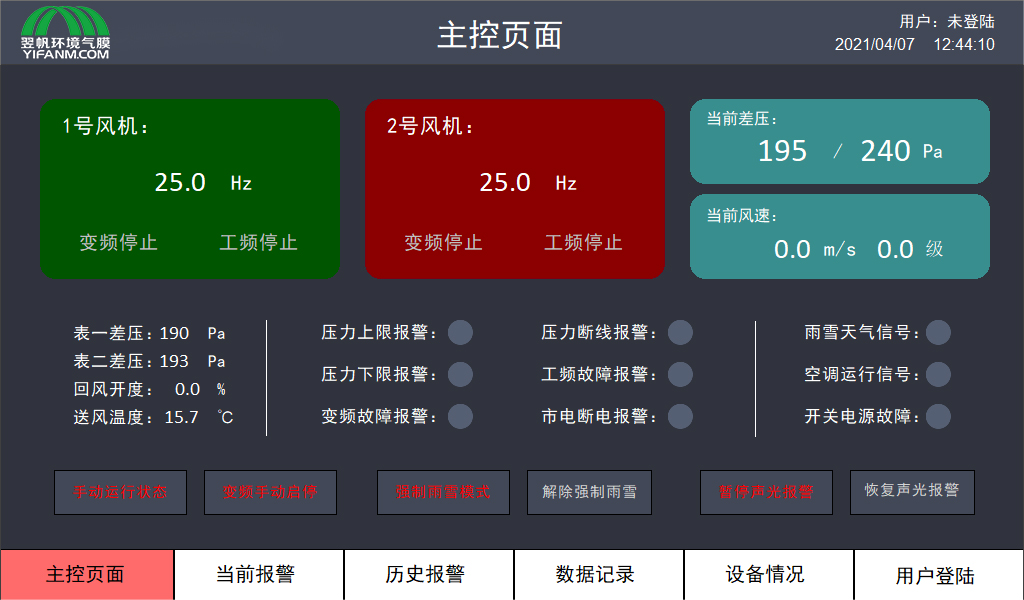
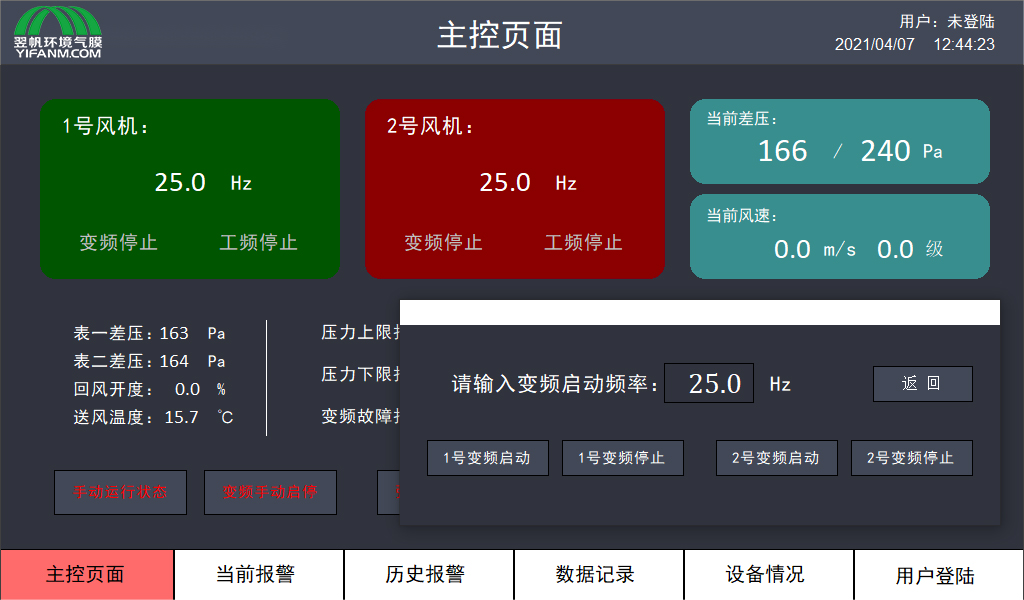
Enter the starting frequency of the variable frequency fan, and then click the corresponding variable frequency start or stop button of the fan to start or stop the variable frequency operation of fan 1 # or fan 2 #.
There is also a row of operation buttons on the lower right side of the main control page, mainly including button options for "forced rain and snow mode", "release forced rain and snow", "pause sound and light alarm", and "restore sound and light alarm". When the font of the button is red, you can click the button to perform the operation.
Forced rain and snow mode: After pressing this button, the pressure inside the inner membrane will increase. Operate according to the programmed "rain and snow" mode pressure. Before heavy snow weather arrives, it is recommended to operate some buttons to increase the operating pressure inside the shed.
Release forced rain and snow: After pressing this button, the system automatically switches to "rain and snow" mode only when certain conditions are met based on the monitored rain and snow signals and snow thickness.
Pause sound and light alarm: Pressing this button indicates that maintenance personnel are aware of the alarm situation on site, temporarily stopping the alarm beep on the sound and light alarm panel, but does not indicate that the alarm has been resolved. Maintenance personnel need to eliminate the alarm situation as soon as possible and restore the sound and light alarm in a timely manner.
Restore sound and light alarm: When an alarm occurs, the sound and light alarm and the alarm buzzer on the panel will sound an alarm, indicating that the control system is experiencing an alarm condition.
2. Current alarm:
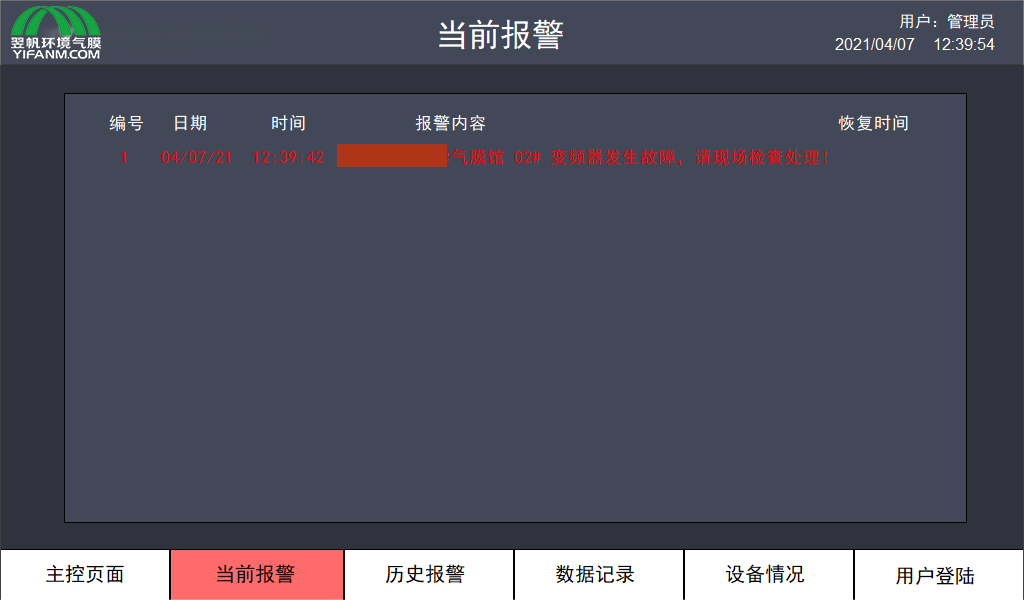
The current alarm page mainly displays detailed alarm information. This page cannot control operations and only serves the purpose of displaying information.
When the alarm message is red, it indicates that this alarm is currently occurring and has not been resolved yet. When the font of the alarm information is white, the access alarm has been resolved, and the "recovery time" of the alarm is displayed afterwards“
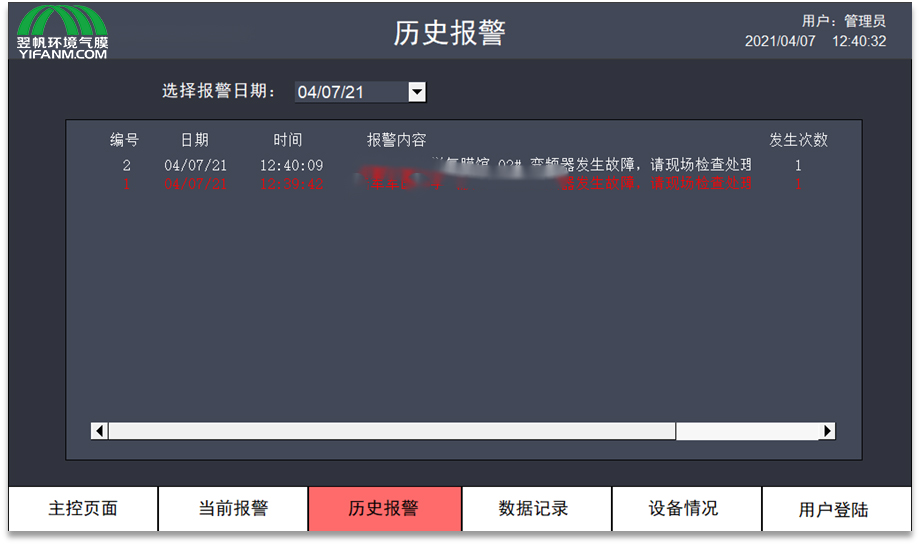
3 . Historical alarms:
By selecting the specific date you want to view, the historical alarm page can display the historical alarm situations that have occurred before. When the alarm font is red, it indicates the occurrence time of the alarm, and when the alarm font is white, it indicates the recovery time of the alarm.
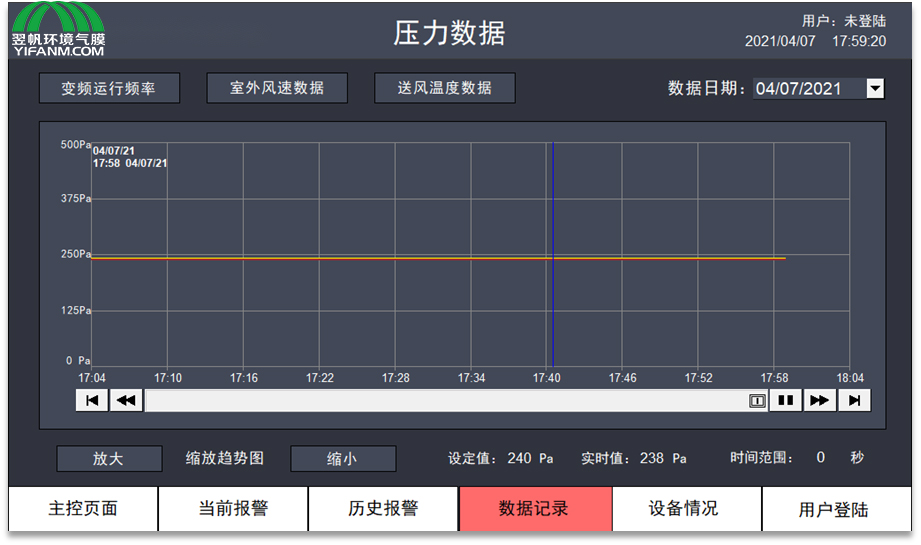
4. Data recording:
By selecting different data recording buttons on the upper part of the page (current pressure data, frequency conversion operation frequency, indoor wind speed data, supply air temperature data), the data recording page records the trend chart of current pressure data, frequency conversion frequency, outdoor wind speed, supply air temperature and other data under the current and selected dates. The "zoom in" and "zoom out" buttons at the bottom can change the time range of the timeline, or you can change the time range of the timeline by clicking on the number after the time range. Click on the record curve on the screen to view the corresponding record data at the click time.
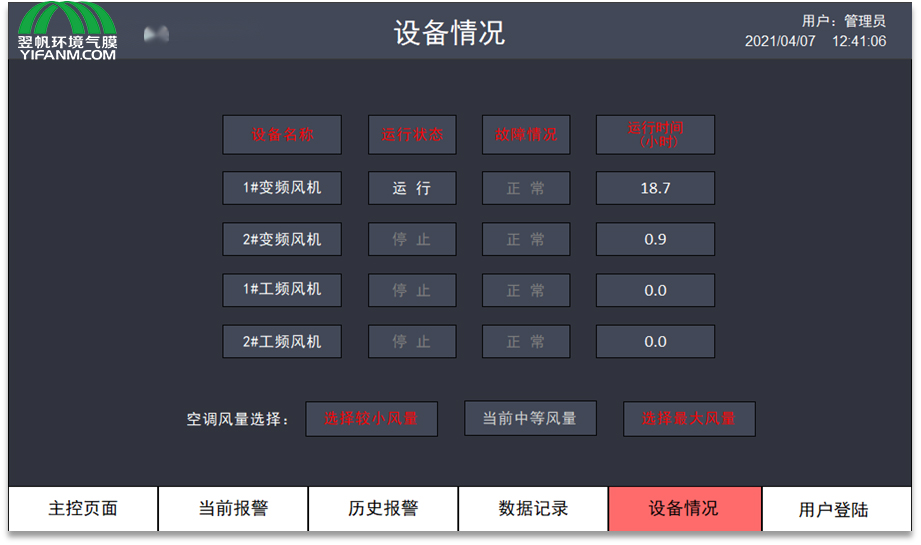
5. Equipment situation:
The equipment status page records the operating status, fault conditions, and running time of each fan. At the last row of the page, there are also three buttons for selecting air conditioning air volume, which can respectively set the air volume during air conditioning operation to the working modes of small, medium, and maximum air volume.
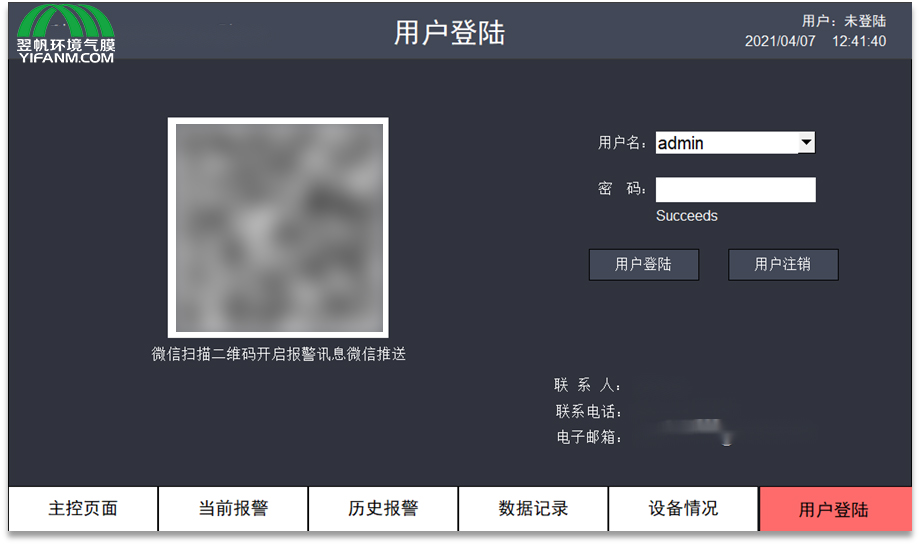
6. User login:
The user login interface sets up a login area for users, which allows for authorization operations that require specific usernames to be logged in. In addition, some system operating parameters are also set, which can only be set after a user with administrative privileges logs in. (Various operations during normal operation of the inflatable membrane do not require logging in to enter the settings page)
7. Fault alarm and handling
Fault alarm buzzers and sound and light alarms are installed outside the PLC control cabinet and control room. When there is a fault in the air supply unit and control system, the buzzer will emit a beep sound and sound and light alarm to prompt the on duty maintenance personnel to promptly and quickly diagnose and handle the fault. Ensure the safe operation of membrane buildings.
The specific fault situation can be viewed on the "Running Status" and "Current Alarm" pages of the touch screen:
Lower pressure limit alarm: If the air film pressure is too low, check whether the safety door is opened, whether the fan is stopped, and whether there are any leakage holes around the air film.
Pressure upper limit alarm: If the air film pressure is too high, check whether the pressure detection tube is blocked, and whether the air film is compressed by strong winds, snow, etc. during severe weather.
Frequency conversion fault alarm: If the frequency converter fails or the protection function is activated, check the relevant alarm information on the frequency converter LCD operation panel and handle it.
Pressure disconnection alarm: The pressure sensor has malfunctioned, and the gas film pressure detection sensor has malfunctioned. Check whether the pressure measuring tube has fallen off and whether the signal transmission cable is disconnected.
Power frequency fault alarm: There is an overheating fault in the power frequency fan.
Rain and snow weather signal: When the snow thickness reaches 150mm, the signal indicator light will turn red.
Switching power supply failure: This control system is configured with two sets of DC24V switching power supplies for redundant configuration. When a switching power supply failure occurs, this indicator light will light up.
8. Internal operating air pressure
The control room is equipped with a wind speed sensor, which automatically adjusts the operating pressure inside the inflatable membrane building based on the wind speed outside the building. The system pressure settings are shown in the following table:
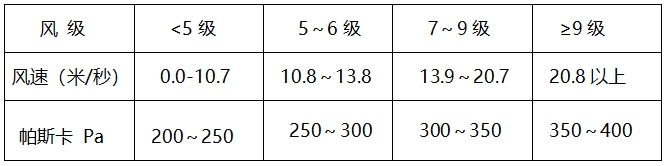
For safety reasons, the air supported membrane structure building is designed for ultra-high wind speeds of 30 meters per second (strong storm speeds>28 meters per second). However, the maintenance personnel of the system should fully understand the specific weather conditions and weather forecasts during use, and make appropriate adjustments to the internal air pressure to ensure the normal operation of the membrane building.
In strong wind conditions, the significant shaking of the air film cover may cause wear on the surrounding anchoring system (if any), and the contact and friction between the cover and the lights, lamp frames, fixed components, or stored items inside the air film may damage the connection between the air film and the door, as well as the door itself in extreme cases.
To prevent the occurrence of the above situation, the maintenance requirements for the pressure inside the building are as follows: monitoring the pressure inside the inflatable membrane building should be a routine work for daily use of the inflatable membrane building. Under normal circumstances, the control system will automatically adjust the pressure and check the pressure setting inside the gas film through a pressure monitor (at least 20 minutes are required for the gas film pressure to stabilize during mode change or manual adjustment).

We Look Forward To Your Call And Consultation
Copyright @ Henan Yifan Environmental Technology Co., Ltd., 11th Floor, Future Business Building, Weisi Road, Jinshui District, Zhengzhou City豫ICP备18032537号-1
Site Map









 Online consult
 Telephone
 Cooperation
 Back to Top